


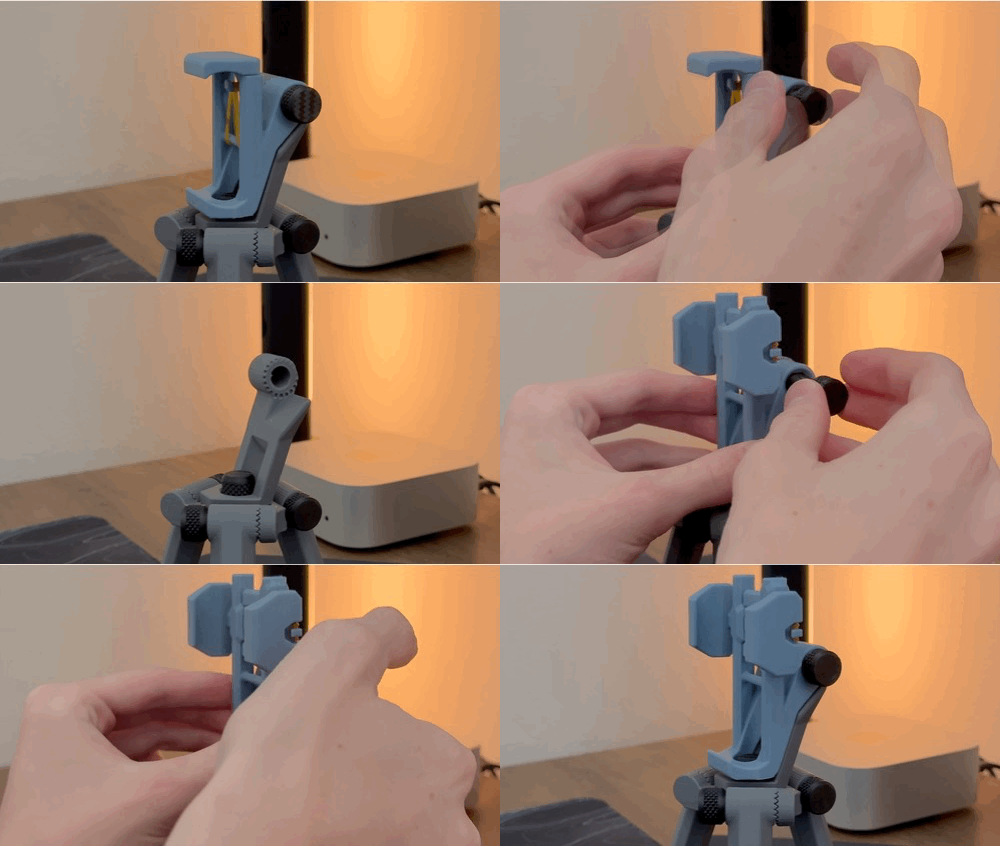


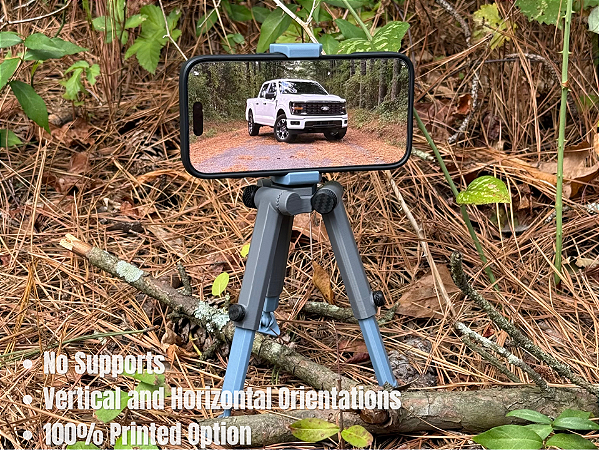
TriStance, Made To Be In Any Stance For Your Needs
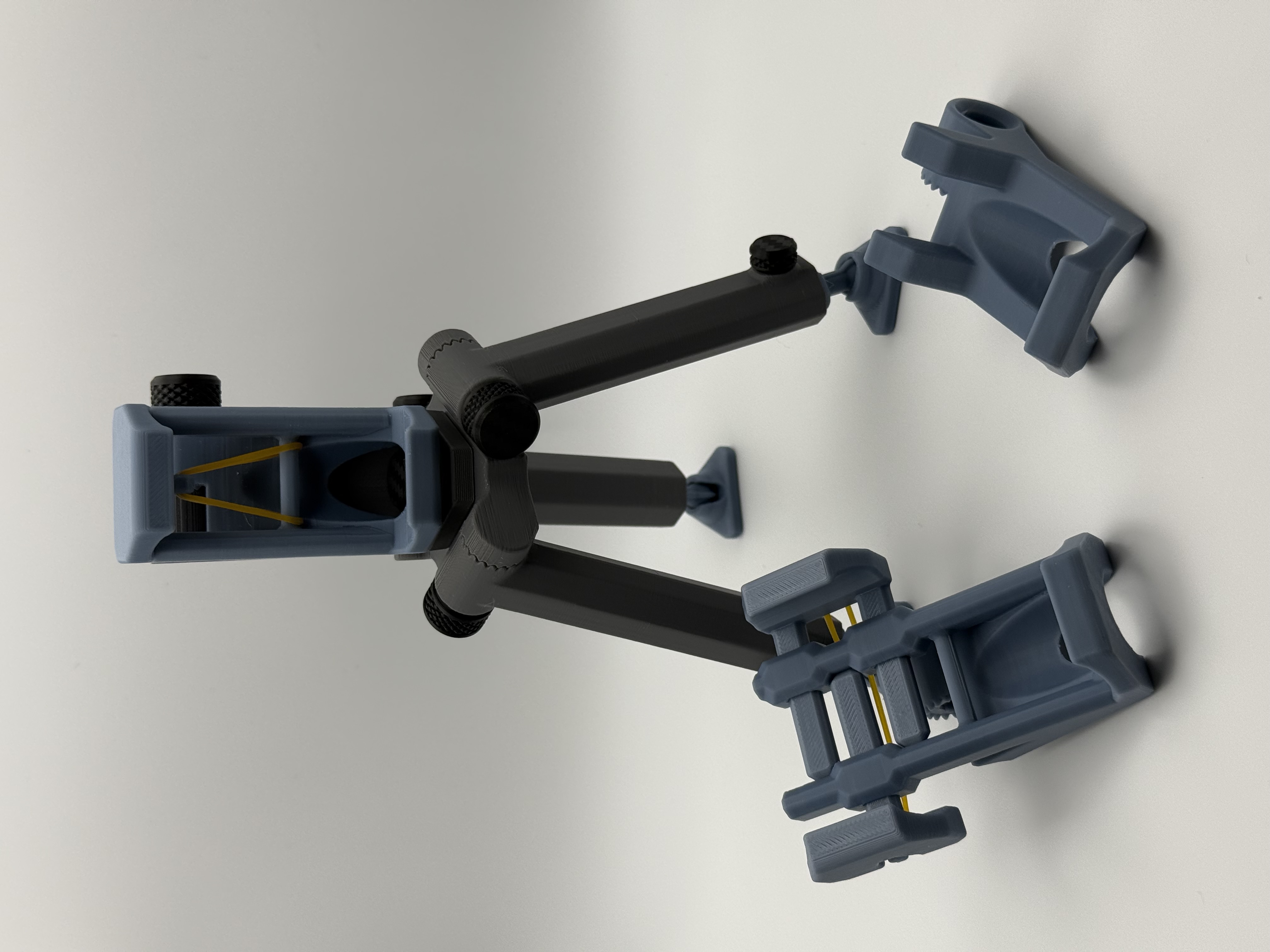
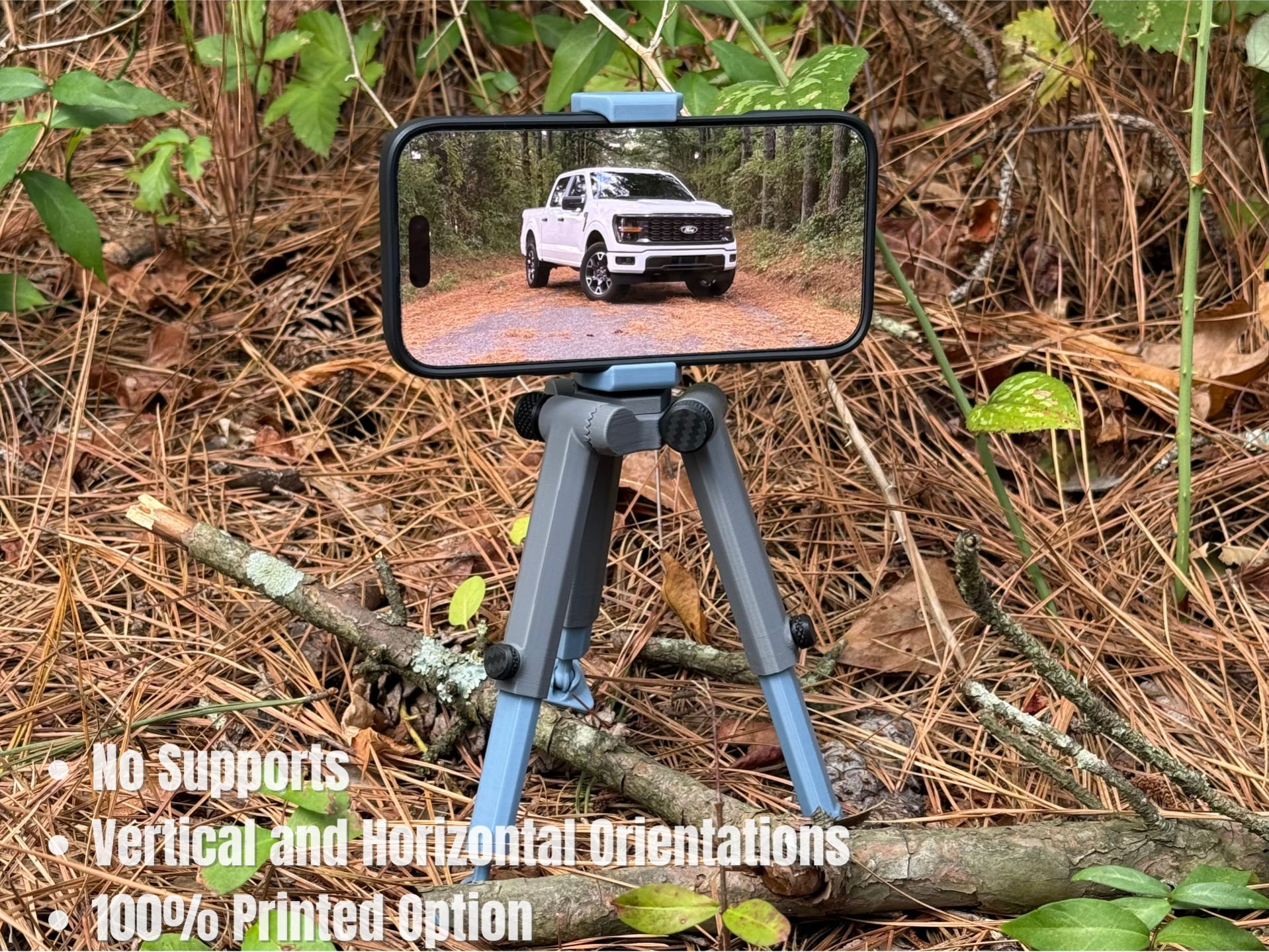
TriStance , a tripod that can be printed without the help of supports, and with its articulating feet makes it flexible enough to be placed wherever you please. It features four joints that use teeth to mesh with their respective notches for a firm yet adjustable stance. Three of the joints are for leg adjustments, while the other joint is for phone pitch adjustment so you can get that perfect angle. These dynamic joints move in 18-degree increments, which allows you to get incredibly low shots and high angles. If that's not enough, you can telescope the legs for the perfect height to keep your phone level. TriStance at its tallest height has nearly 15cm/5 7/8" clearance from the main base to the ground. It includes three swappable phone grips…horizontal, vertical, and a no-grip phone holder which does not need a rubber band. The phone grips have a versatile clamp range of 50 - 90mm.
Feel welcome to watch a short video on it here:
Notes Before Printing
TriStance is not recommended to be printed in PLA Matte, as it is weaker than PLA Basic and the parts will not move as easily. Do not print in PLA Silk. PLA Basic works phenomenal from my testing.
The leg sections need excellent bed adhesion. Therefore, you will need to wash your build plate with warm water and dish soap. A Textured PEI build plate is recommended for the leg sections, your Bambu Lab printer comes factory with this build plate.
Assembly Guide
Don't worry! Assembly is easy, and I will guide you through it with 8 swift steps.
This model has an option to use rubber bands. You can find the needed rubber bands in an affiliate link below, or in the Maker's Beginner Kit. If you choose to use the link below to get your rubber bands, it supports me as a creator. Thank you.
Let your plate completely cool before gathering all the parts. Then we can begin the assembly.
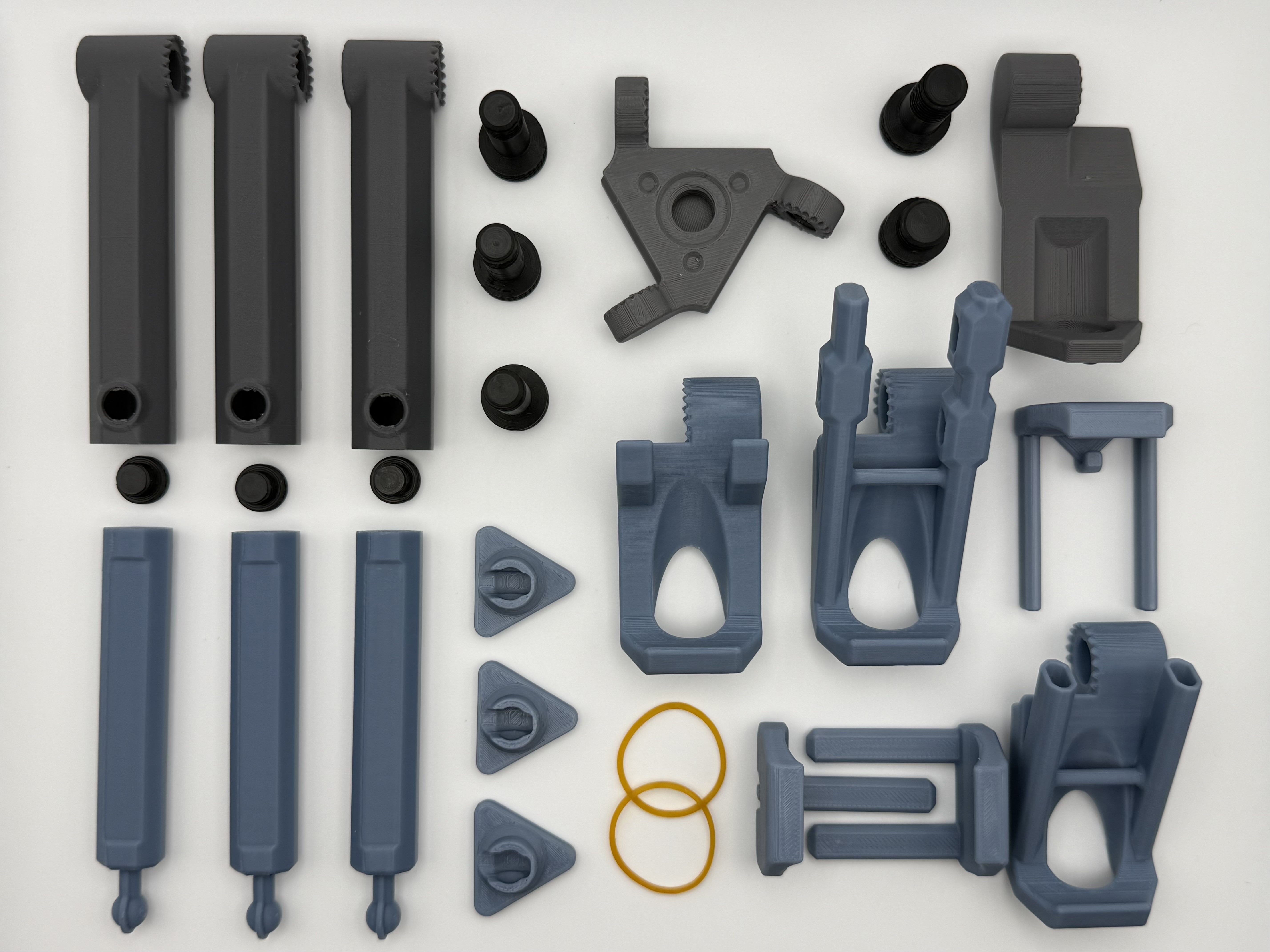
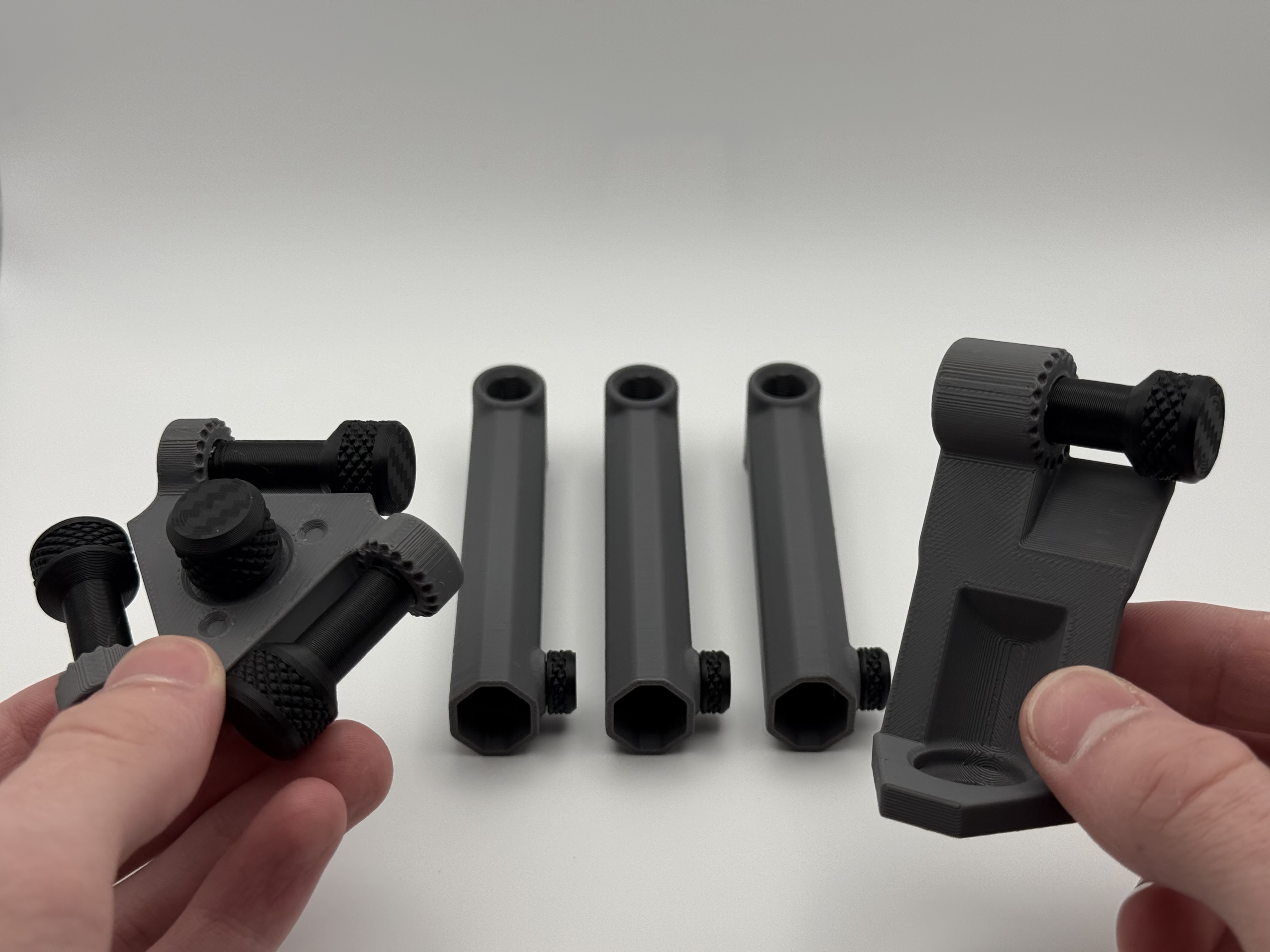
Step 1: Pre-thread all the screws into their complimenting threads, then remove them. This cleans the model's threads and prepares them for use.
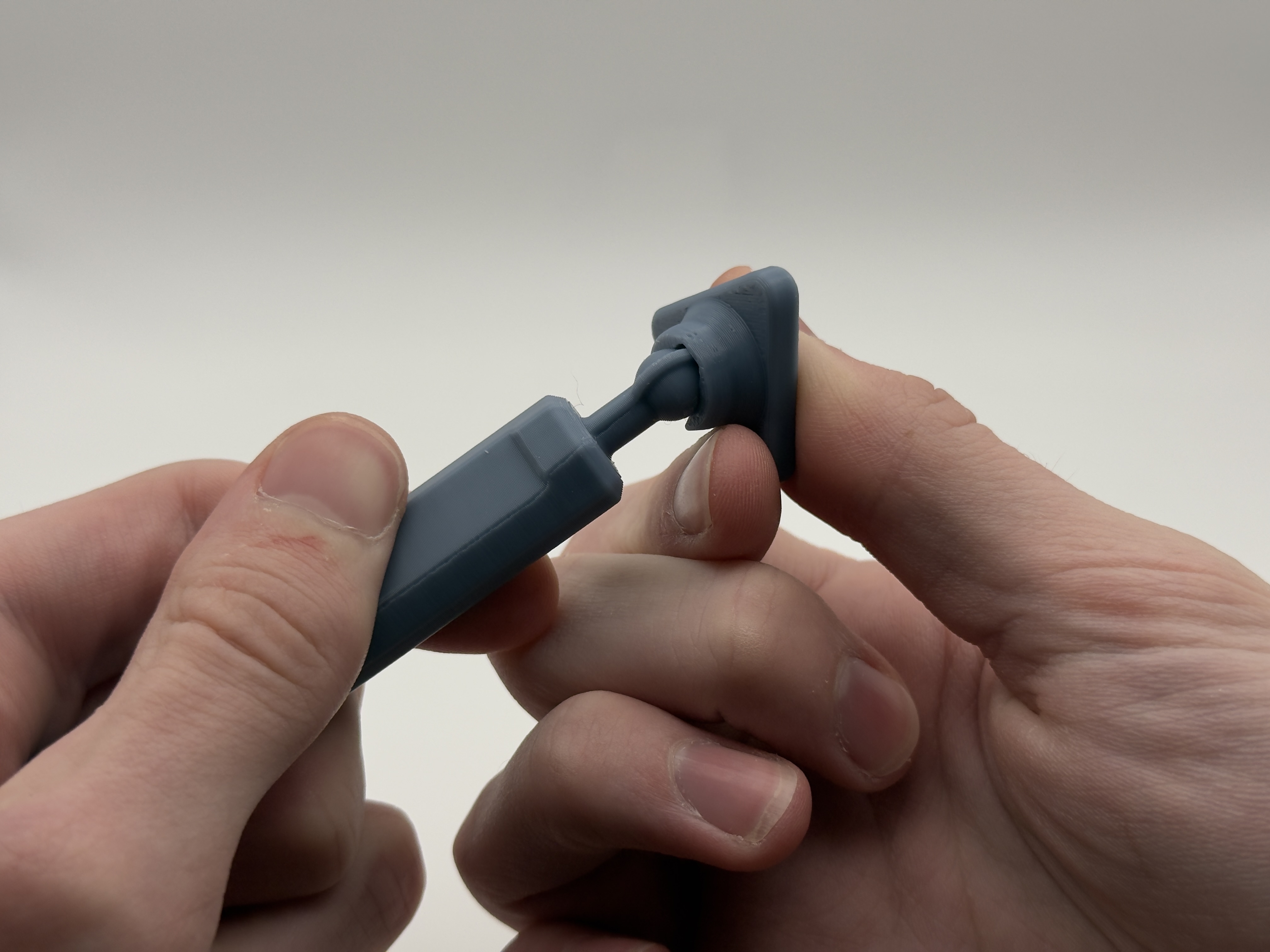
Step 2: Snap the articulating feet into place on the inner telescoping leg. For correct placement, have the tip of the foot facing the same direction as the indented flat side of the inner telescoping leg (see photo below). Repeat for all 3 legs.
Step 3: Take the outer and inner telescoping leg pieces, and slide them into each other. Then lock them into place with the smallest screws at the desired height. Ensure that the lowered section of wall faces the same direction of the screw (see first photo below). Repeat for all 3 legs.
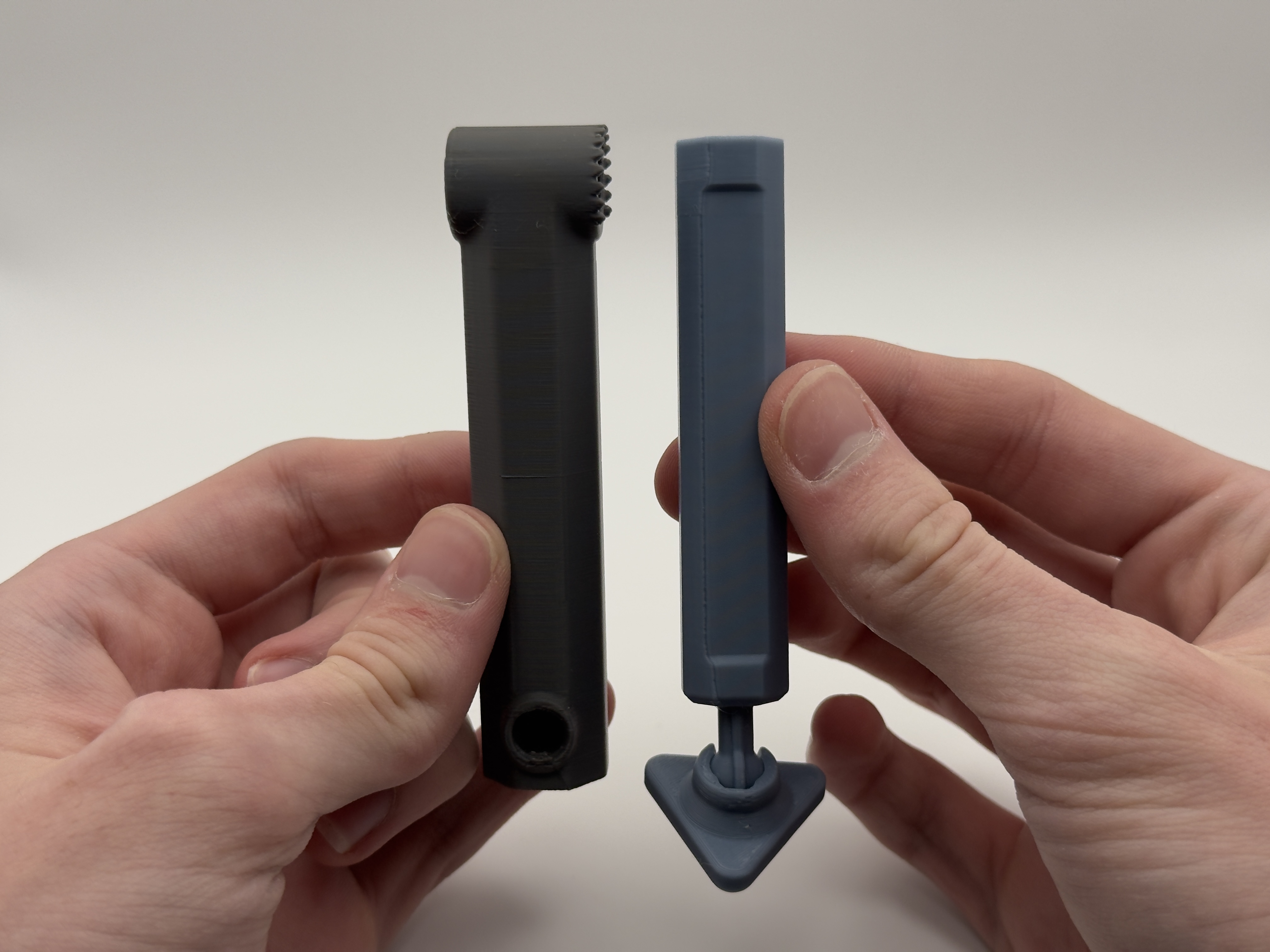
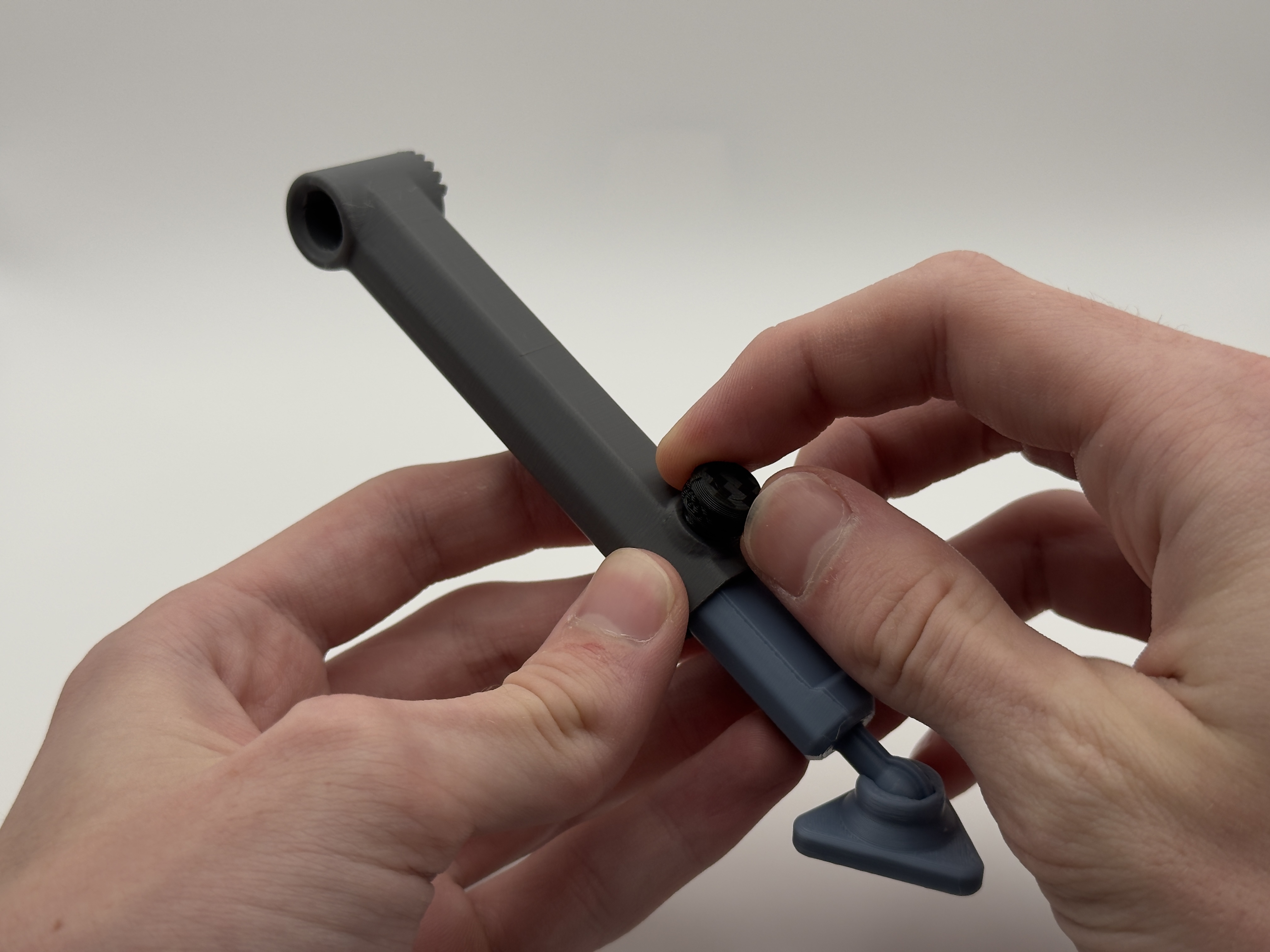
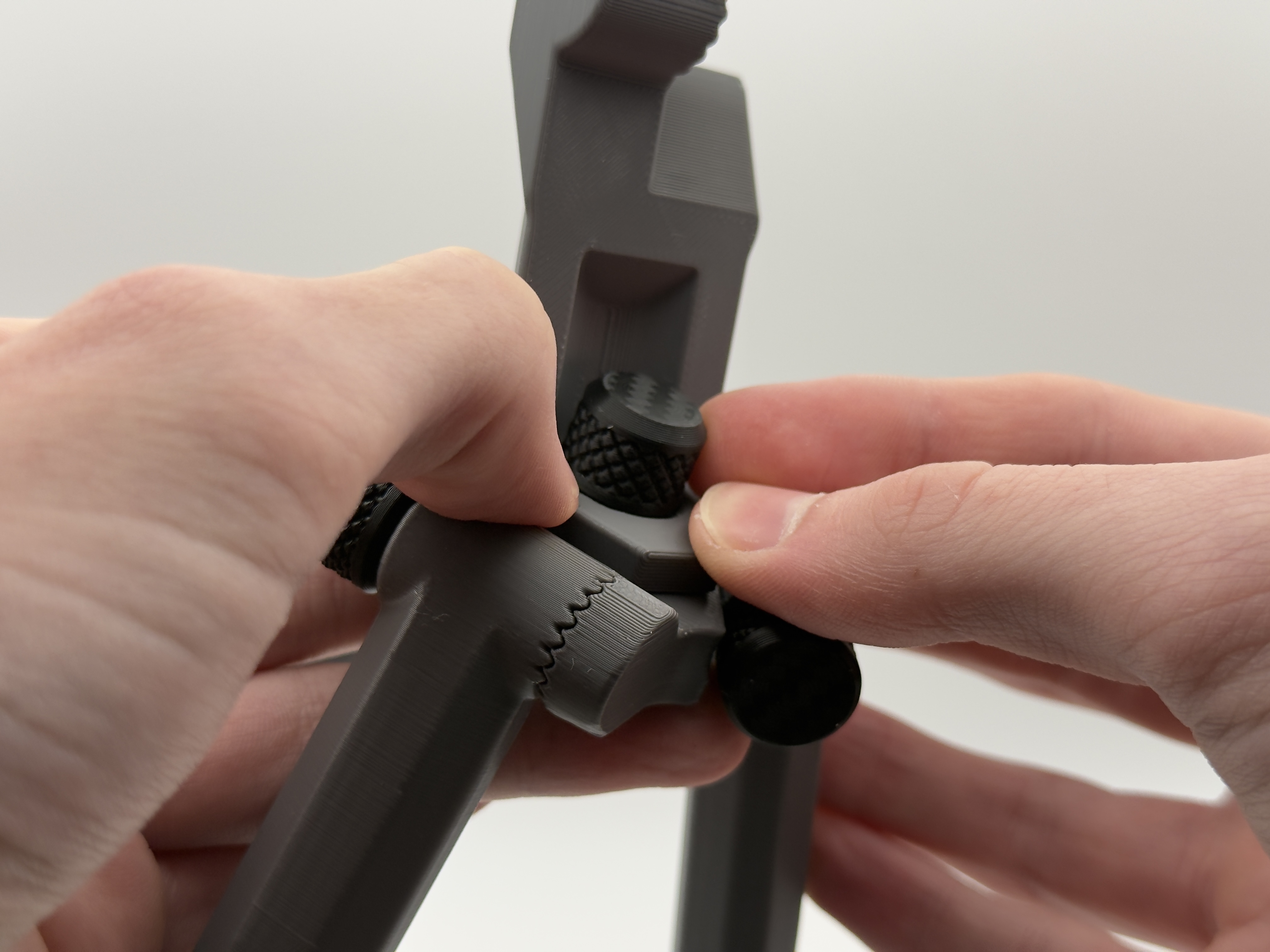
Step 4: Take the screw with the smaller diameter and shorter thread (see first photo below), the main body, and the telescoping legs, and screw the legs to the main body at your desired angle. Do this with the telescoping leg screw facing away from the main body (see second photo below).
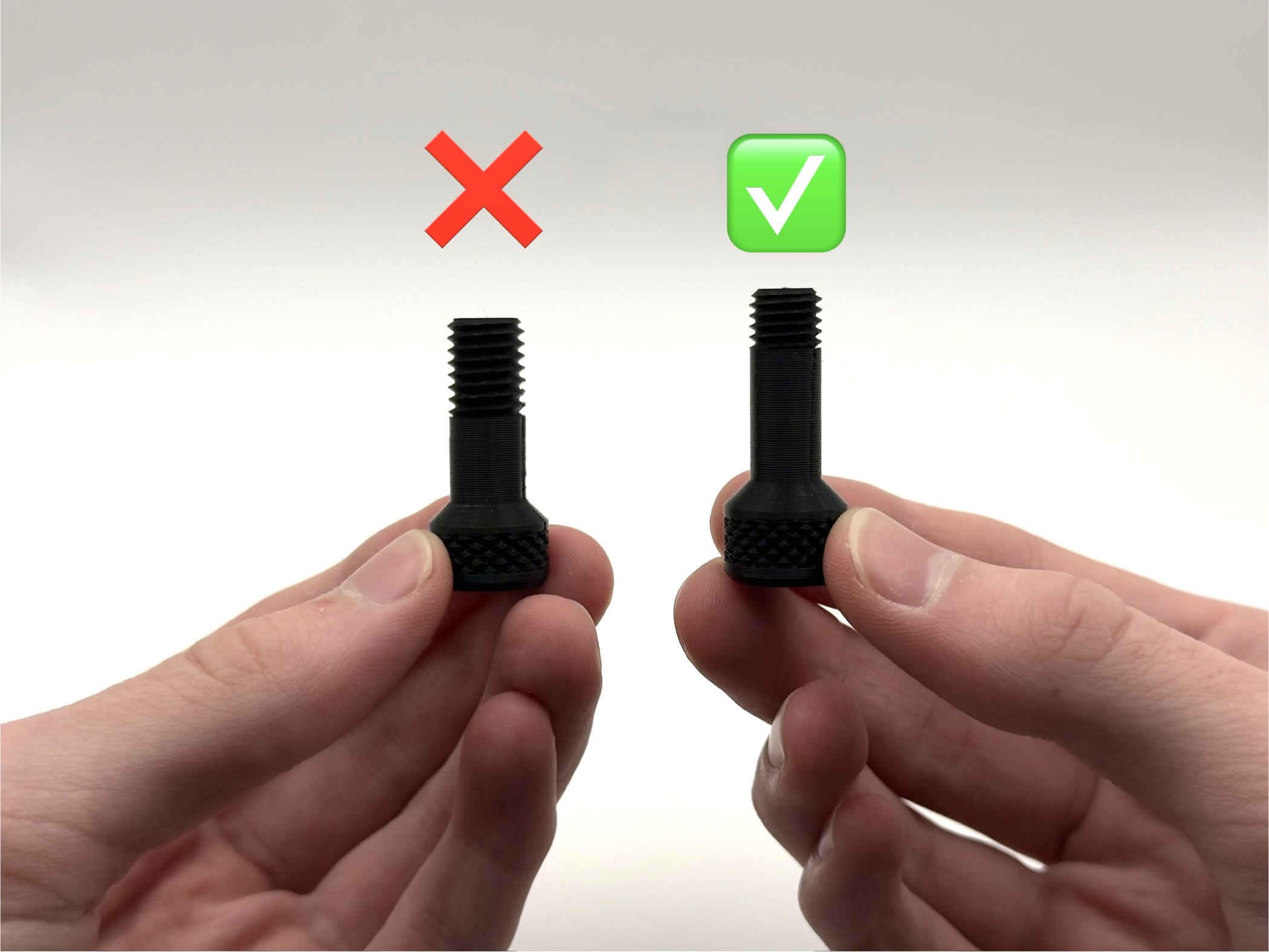
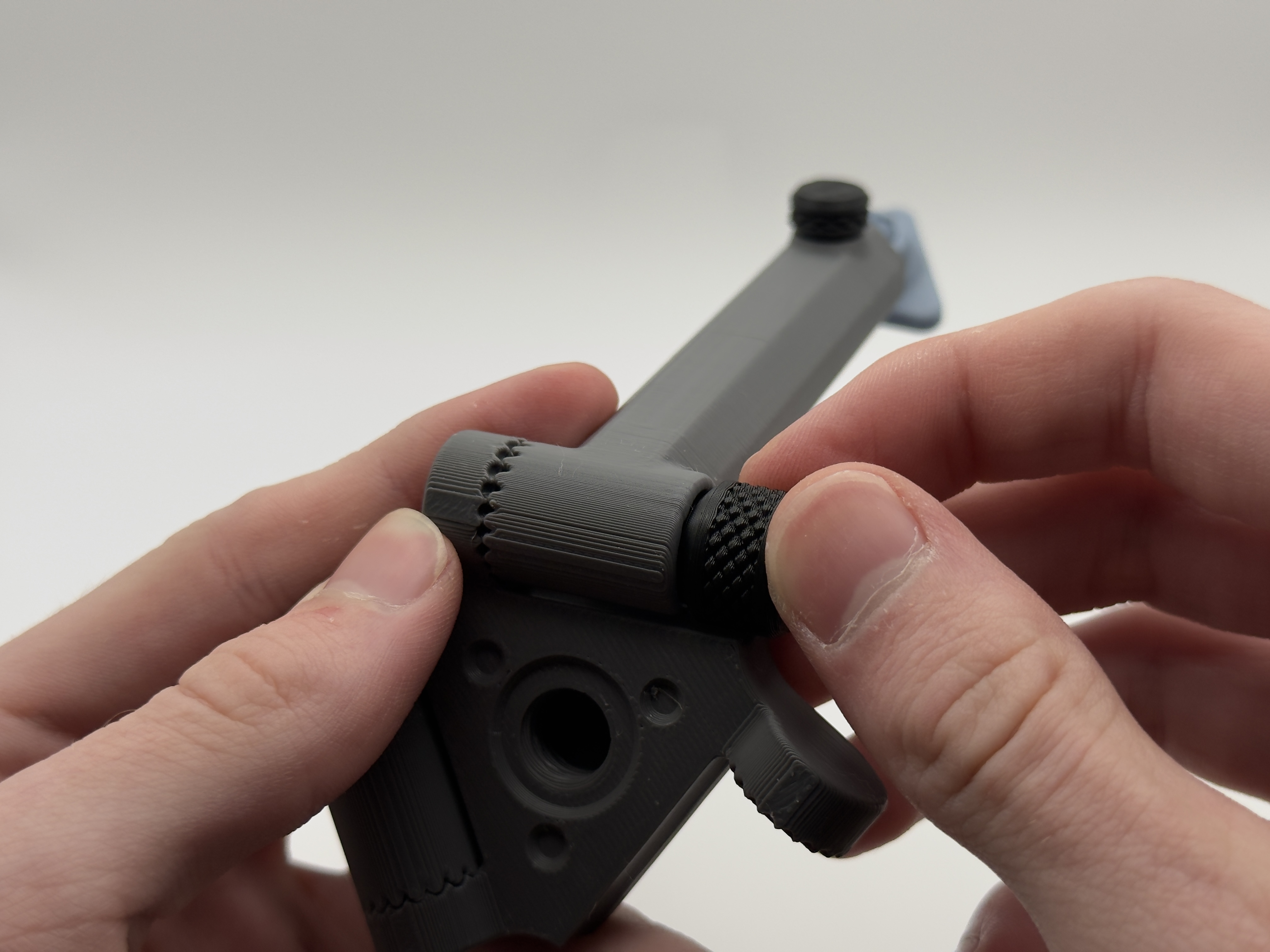
Step 5: Now you will need the thickest screw. Use that screw to thread the phone grip adapter into the main body. Ensure that the cones on the bottom of the phone grip adapter line up with the holes in the main body.
Step 6 (For Horizontal Phone Grip): Take the main grip body, and slide the rubber band behind the bar (see first photo below). Then simply take the secondary grip body, and hook both ends of the band onto the secondary grip body (see second photo below).
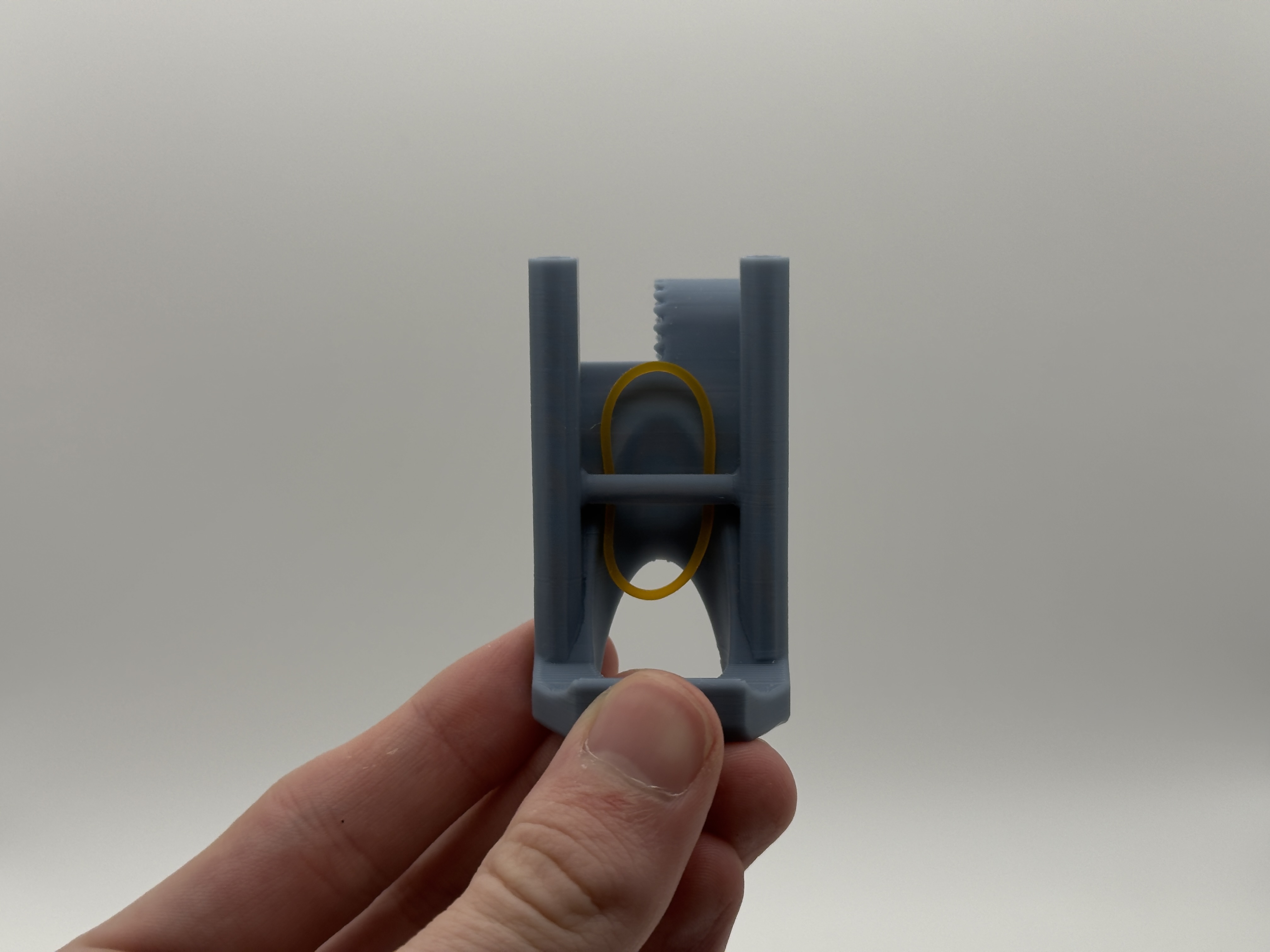
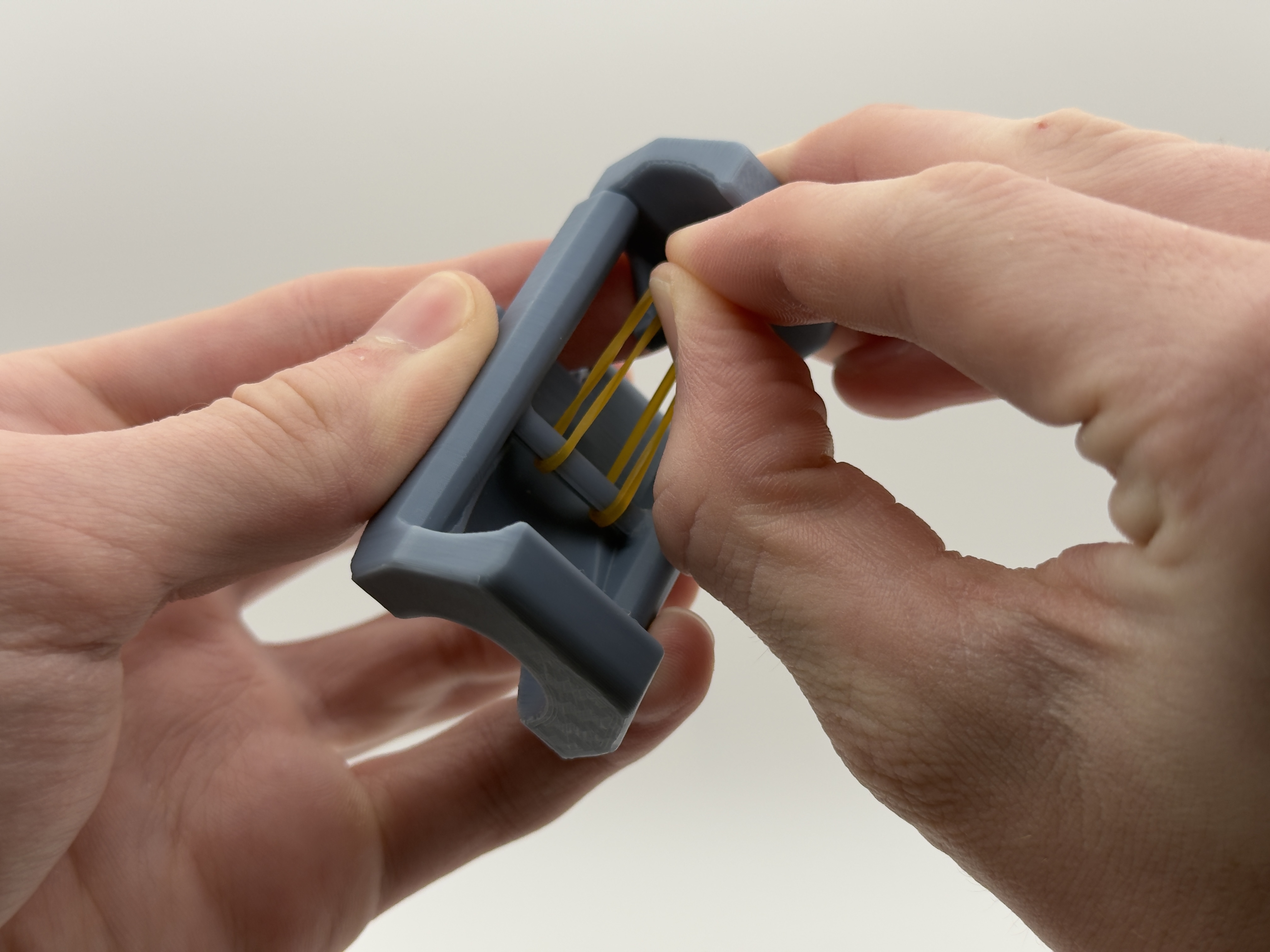
Step 6 (Horizontal Phone Grip For Large Phones): Tie a slip knot out of the rubber band around the bar on the main grip body (see first photo below). Then simply hook one end of the rubber band onto the secondary grip body (see second photo below).
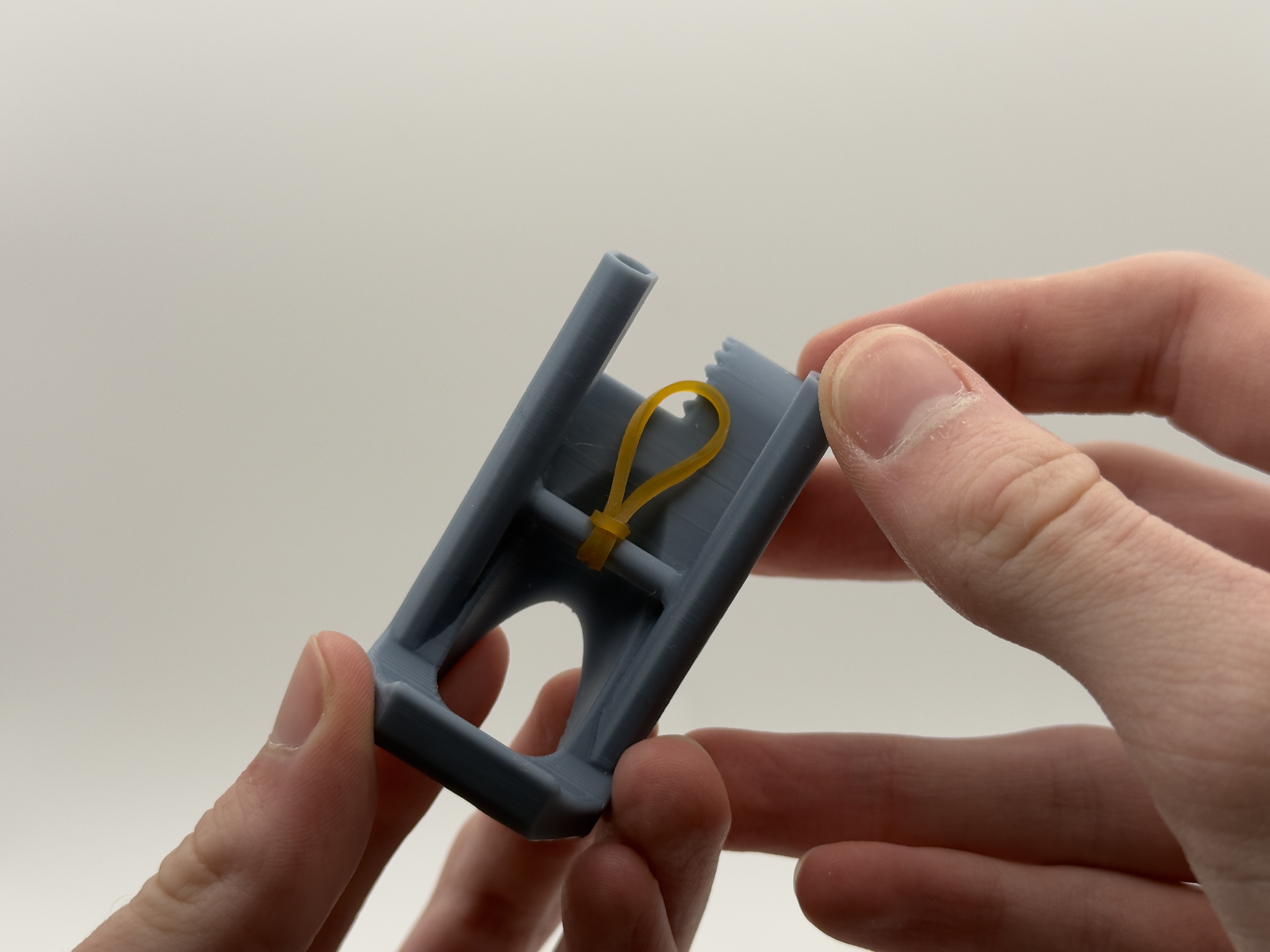
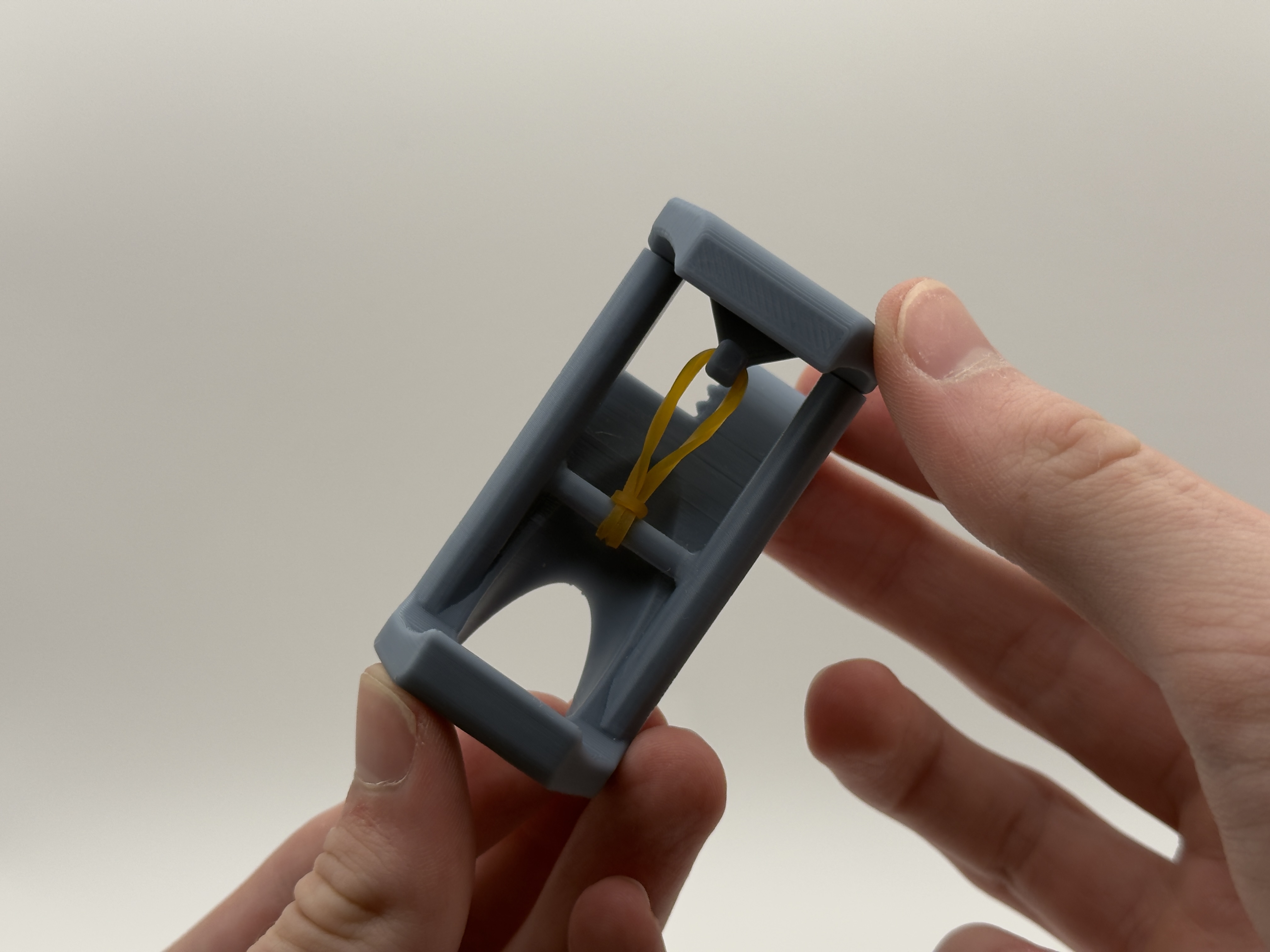
Step 6 (For Vertical Phone Grip): Take the main grip body, and insert both left and right secondary grip bodies onto their respective holes (see first photo below). Next hook your rubber band into both secondary grip bodies (see second photo below).
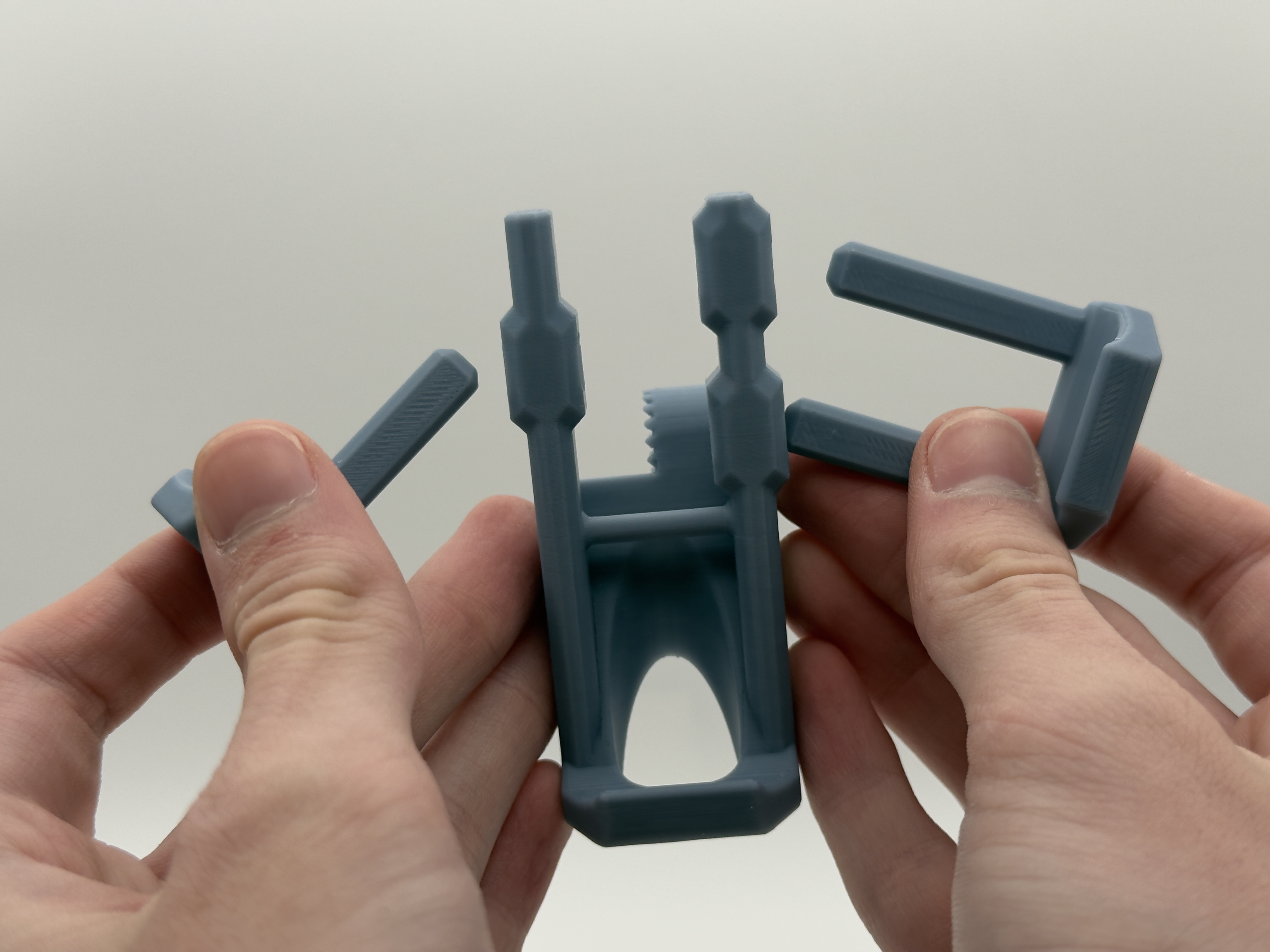
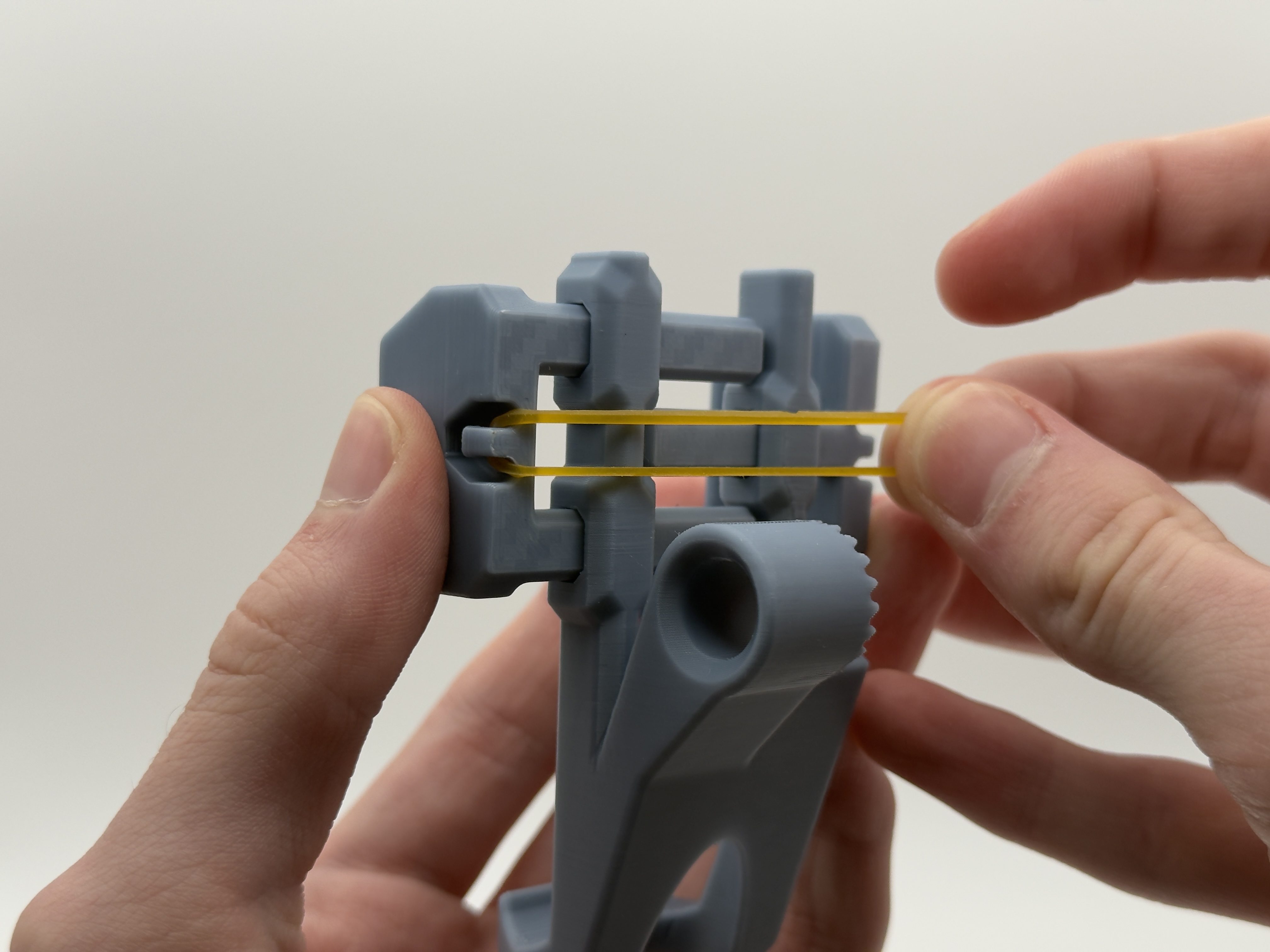
Step 7: Now it is time to use the final screw. Thread that screw into the phone grip adapter with the phone grip of your choice.
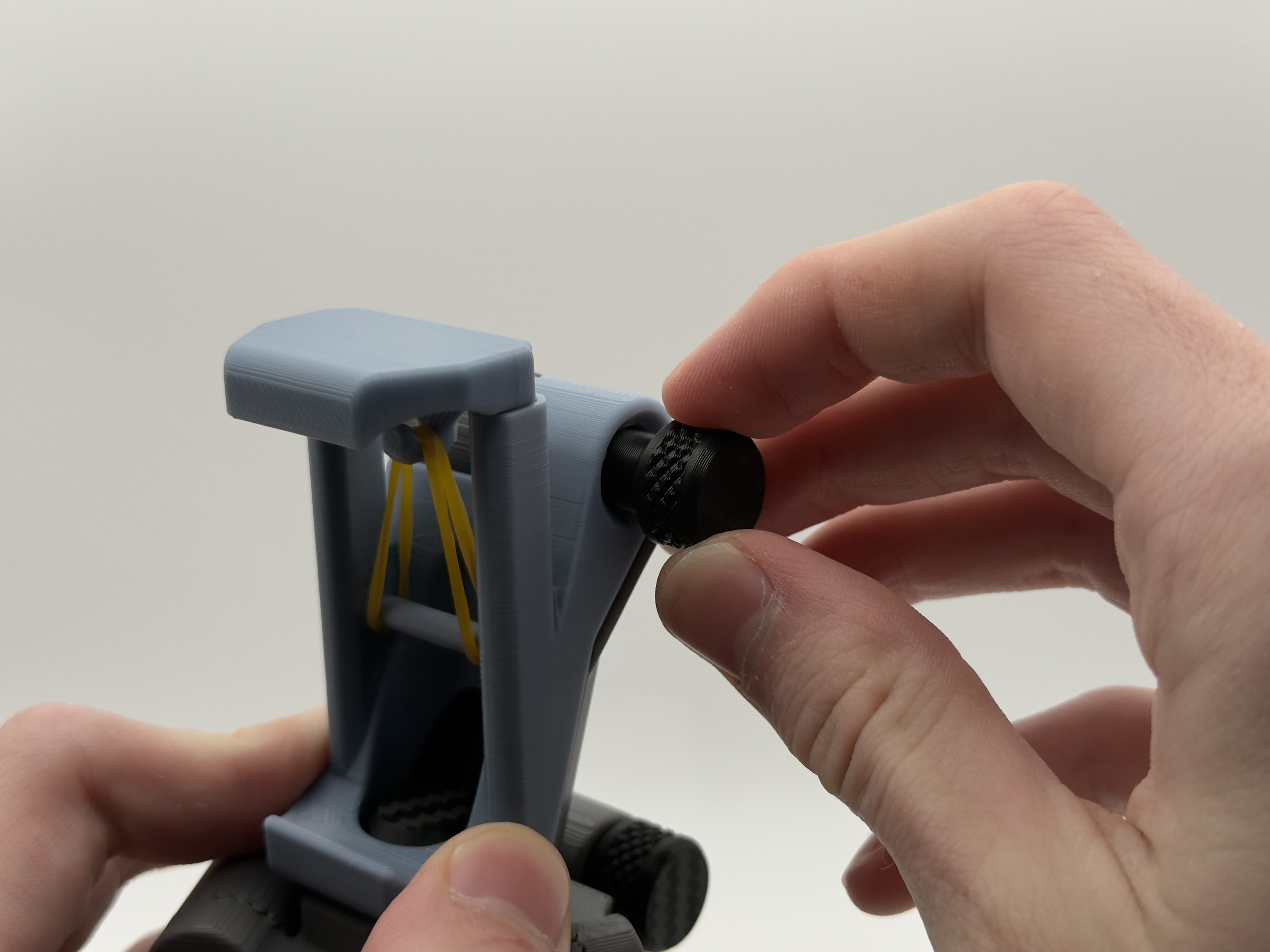
Step 8: Time to use and enjoy your TriStance!
- Artes e Atividades - Outros
- Árvores e Enfeites de Natal - Outros
- Barcos
- Bonecas, Bonecos e Bebês
- Bonecos de Papai Noel
- Casa
- Casa e Decoração
- Chaveiros
- Cofres
- Enfeites para Árvores
- Estatuetas
- Figuras de Ação
- Flores Artificiais
- Guirlandas De Natal
- Guirlandas e Luzes Decorativas
- Luminárias de Mesa
- Mais Categorias - Outros
- Organizadores de Pia
- Porta Incenso
- Porta-retratos
- Prateleiras para Banheiro
- Presentes
- Presépios de Natal
- Suportes para Garrafas
- Vasos Decorativos
- Vasos para Plantas
- Decoração
- Geek
- Personalizados
- Ocultar
O Nerdzão é a loja de artigos de presente e decoração para você que busca produtos criativos e inovadores. Oferecemos novidades personalizadas e produtos para serem lembrados.




LETICIA FERREIRA DE OLIVEIRA DUTRA - CNPJ: 63.805.254/0001-05 © Todos os direitos reservados. 2026
